
Whale for Operations
Run every process
the same way, every time.
Take the know-how out of a few people’s heads and turn it into SOPs, checklists and training anyone can follow. Every process keeps a named owner and a review date, so it stays current.
- 4.8/5 on G2
- SOC 2 certified








From warehouses and plumbing crews to law firms and wealth managers, these teams run on Whale
In their words
Before Whale and after, in their own words
Four teams on what running on scattered know-how looked like, and what changed once their processes lived in one place. Every quote is theirs, word for word.
With Whale
“As we’ve grown, onboarding and training became much more important because of efficiency. The result now is that everyone looks on Whale first!”
With Whale
“Whale is a critical tool for us. It makes sure we’re implementing processes to make things run as smoothly as possible and we can grow from there.”
With Whale
“Whale has cut our onboarding time in half. New employees can independently review documents and videos, coming to us only with specific questions.”
With Whale
“Whale’s ability to track and prompt updates has been a game changer. Processes no longer go out of date, and we can hold people accountable while ensuring clarity and consistency across teams.”
Whale is rated 4.8/5 on G2.
How it works
From tribal knowledge to the way everyone works
Four steps from how it’s done today to a process every shift follows, with a record of who has read it and when it was last checked.
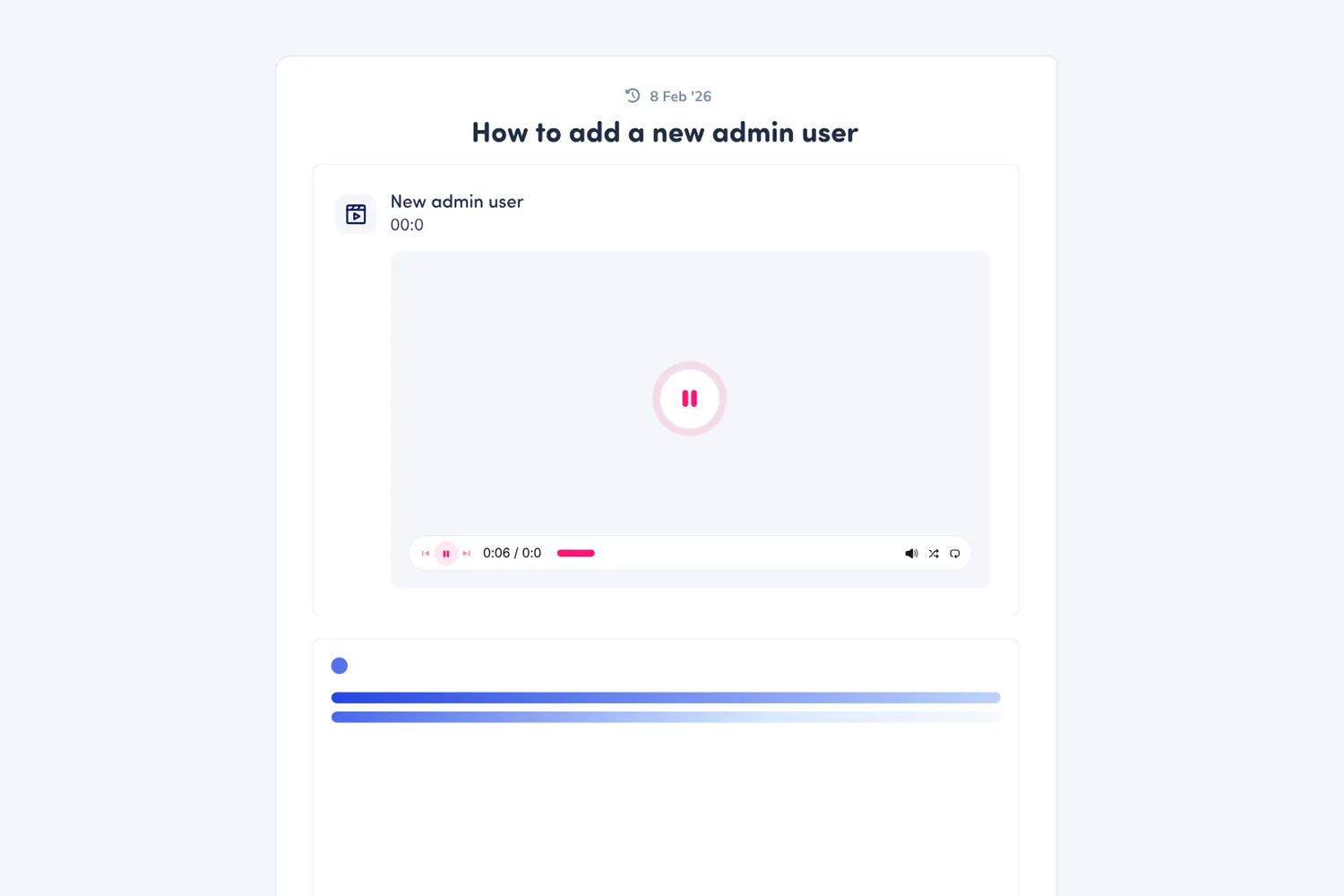
- Walk through the task once with Step Recorder. Alice drafts the SOP, steps and screenshots included.
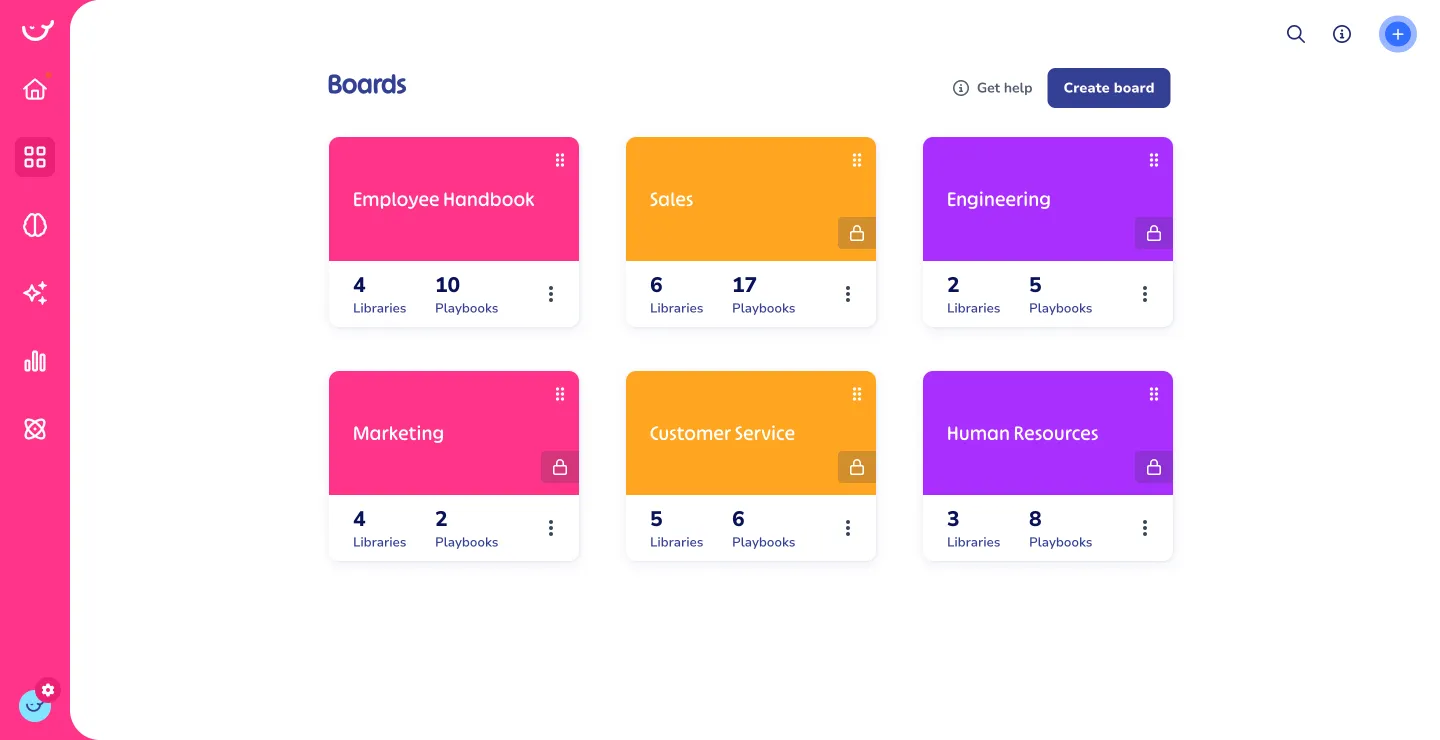
- Every SOP, checklist and policy in one hub, organized by team and tagged, with an owner on each.
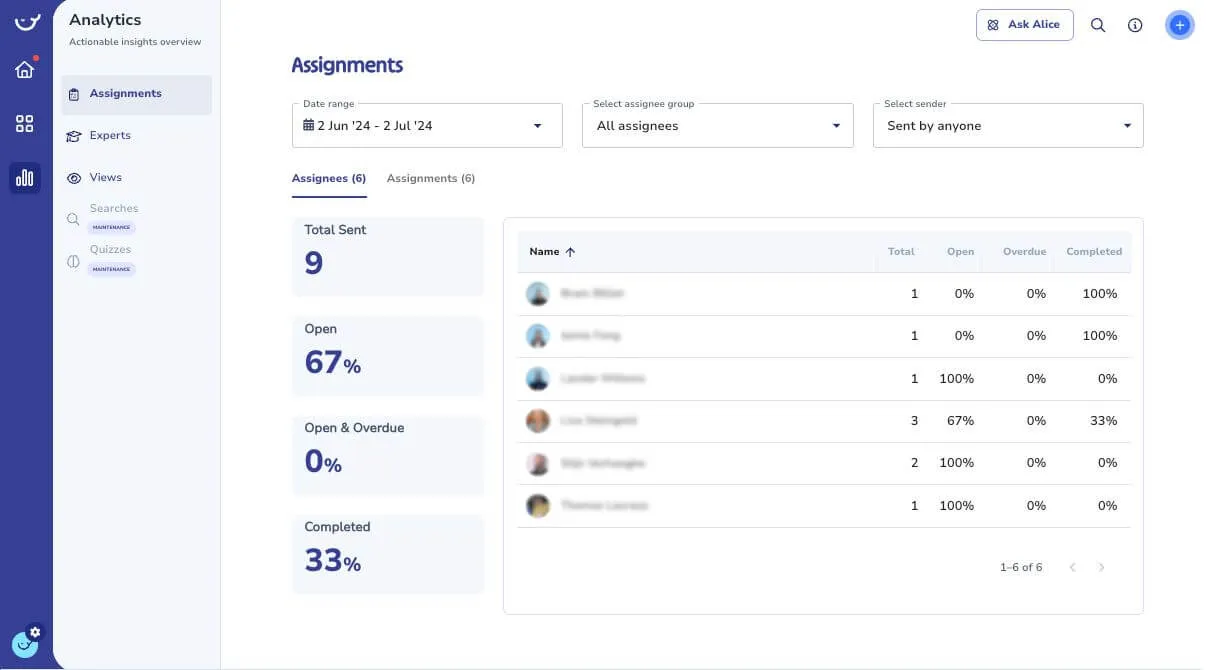
- Assign it to a role or group with a due date. Whale sends the reminders and shows who has read it.
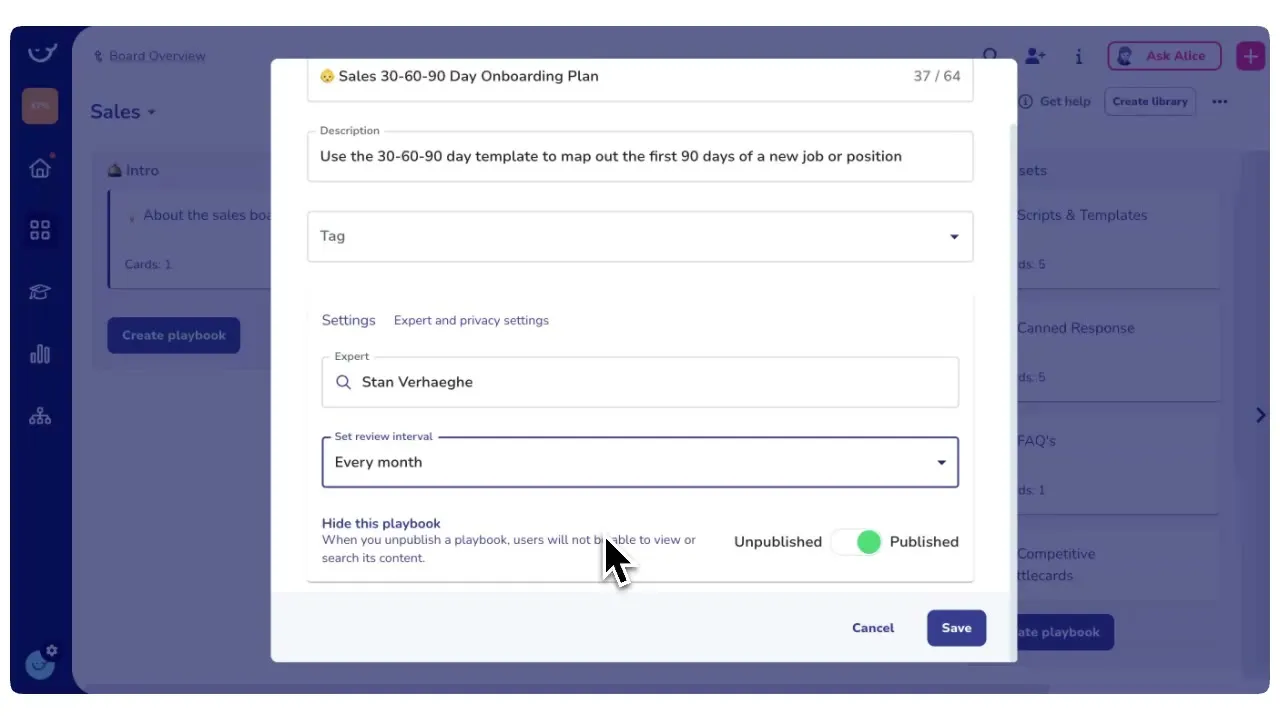
- Set a review cycle and Whale sends the owner a review when it’s due. Every edit is saved as a version.

Every step ticked. Every run logged.
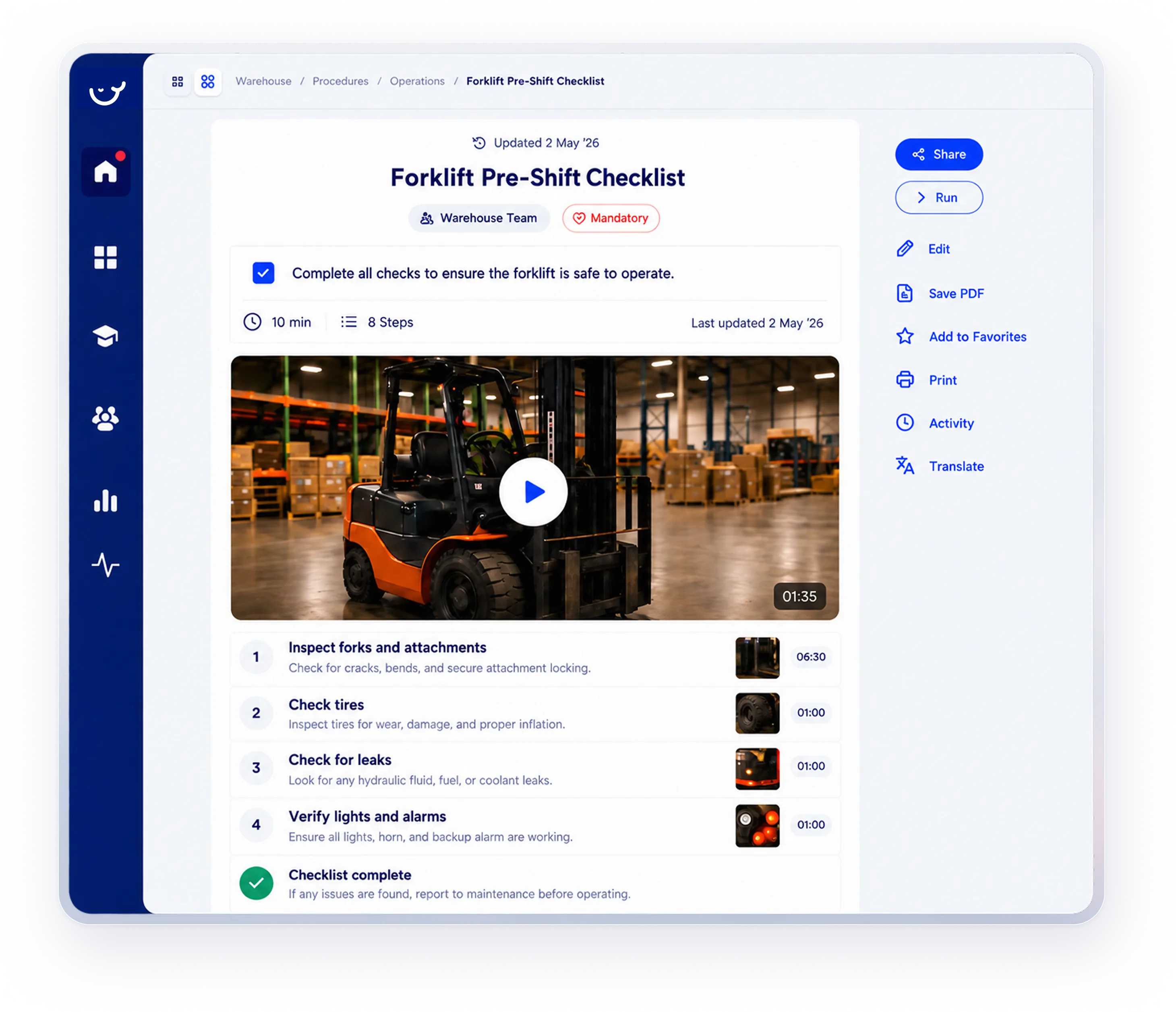
Checklists turn any procedure into a task list your team runs in real time, so opening, closing and safety checks happen the same way at every site.
- Photo proof at any step that needs it
- Every run timestamped and logged
- On the Whale app or any phone browser
Everywhere the work happens
On the floor, in the field and at the desk
Frontline teams can’t stop mid-shift to dig through a shared drive. Whale puts the current process one scan, one tap or one question away.
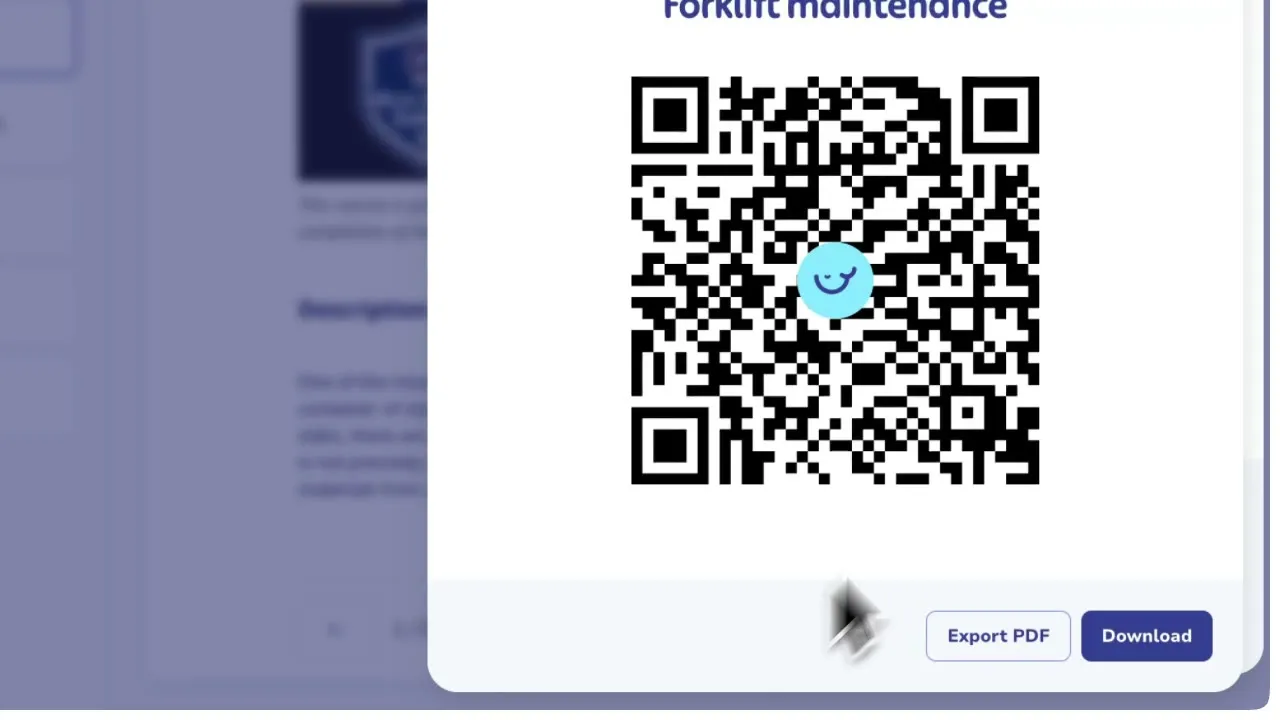
- Put an SOP on the wall. Let the phone do the rest.Print a QR code for any SOP and stick it by the machine, at the loading dock or inside the service van. Every scan opens the latest version, and public SOPs open without a login.
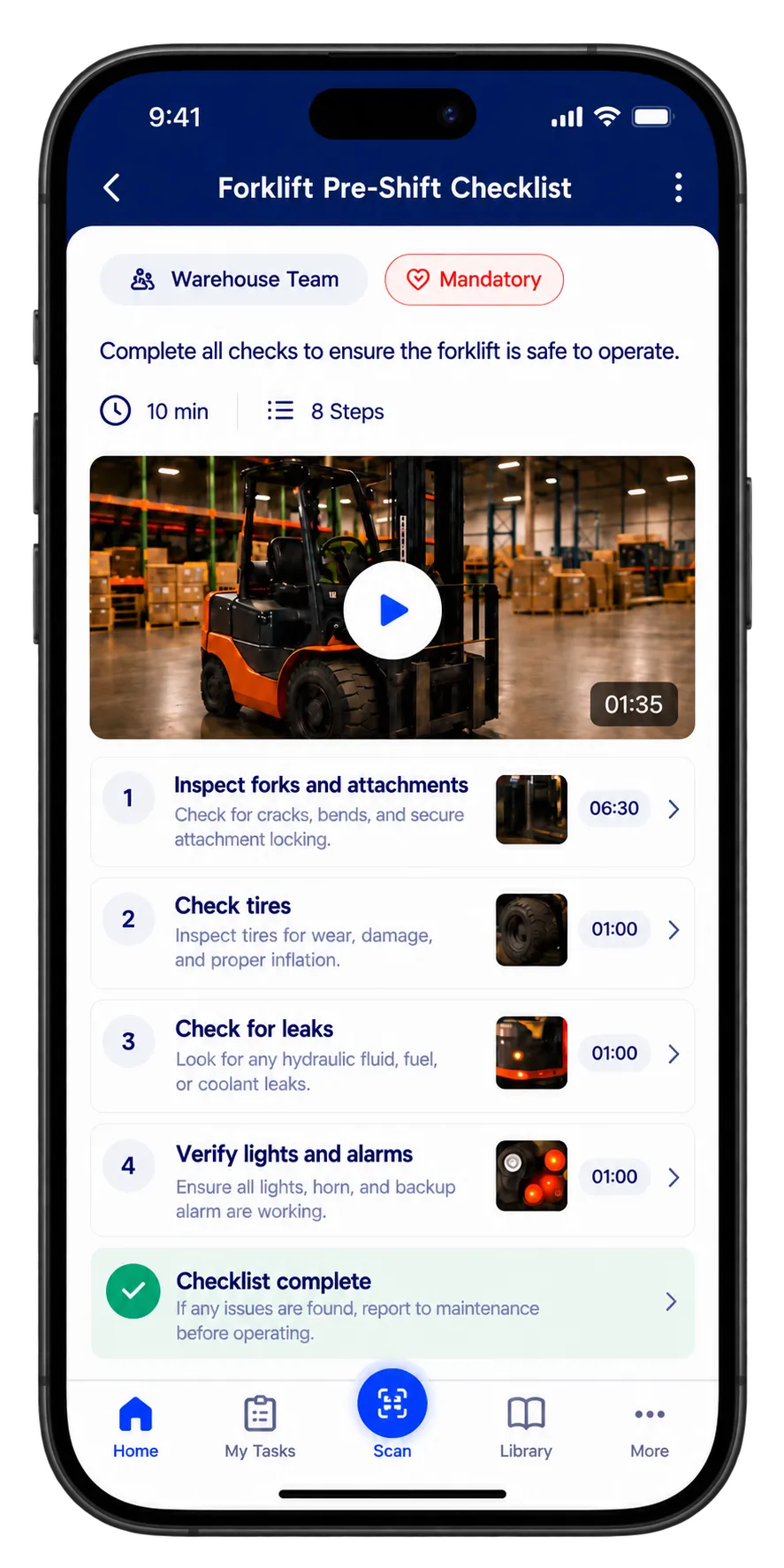
- Every SOP and training flow in their pocketThe Whale app runs natively on iOS and Android. Recently opened SOPs stay readable without signal, and checklists finished offline sync back when the phone reconnects.
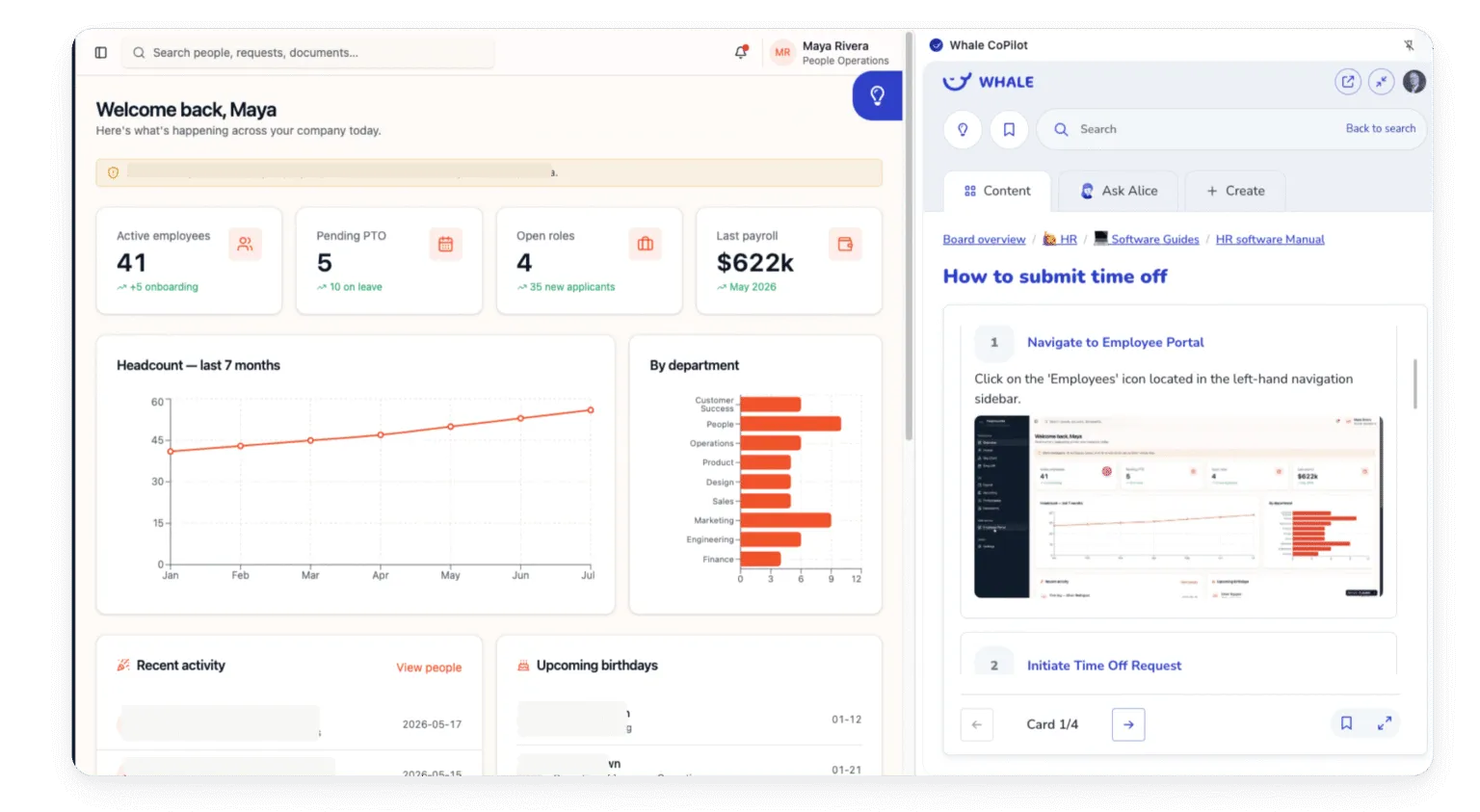
- The right SOP inside the tool they’re already inCoPilot puts your Whale knowledge base in a sidebar on any web page, so the steps sit next to QuickBooks, HubSpot, Salesforce or Zendesk while the work gets done.
- Ask Claude, OpenAI or Gemini how it’s done hereConnect Whale MCP and your AI assistant answers from your own SOPs, with the source, instead of guessing at a generic process.
Customer stories
How ops teams put Whale to work
Warehouses, stores, offices and job sites: six teams on what changed once their processes lived in one place.

How Image Solutions aligned a 100-person team on processes and kept them engaged
“Now we’re confident in our ability to train our team members in our processes.”
100ksq ft warehouse
Emily Best, Process Excellence Specialist
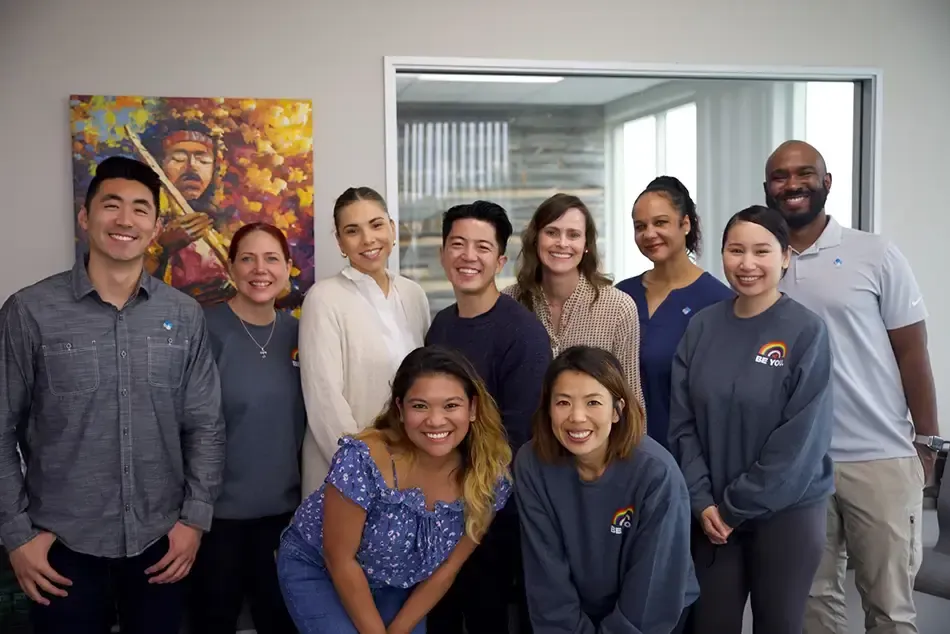

How Aurora Medical Spa trains its team across 7 locations
“We are continuing to standardize all of our processes, and they are getting quite refined. I feel pretty confident going into opening our new locations.”
7locations across the US
Jessica Bradshaw, Recruitment Manager


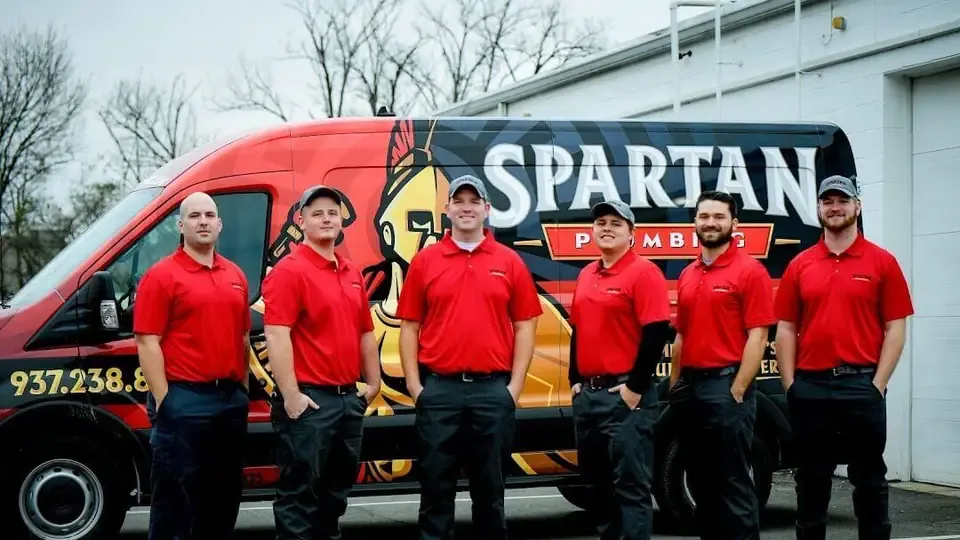
How Spartan Plumbing documented 45 years of trade knowledge and stopped repeating itself
“Whale is the playbook for everyone’s positions in the company. It makes it easier to navigate the daily ins and outs.”
80%of procedures captured in Whale
Josh Ferguson, CEO, Spartan Plumbing

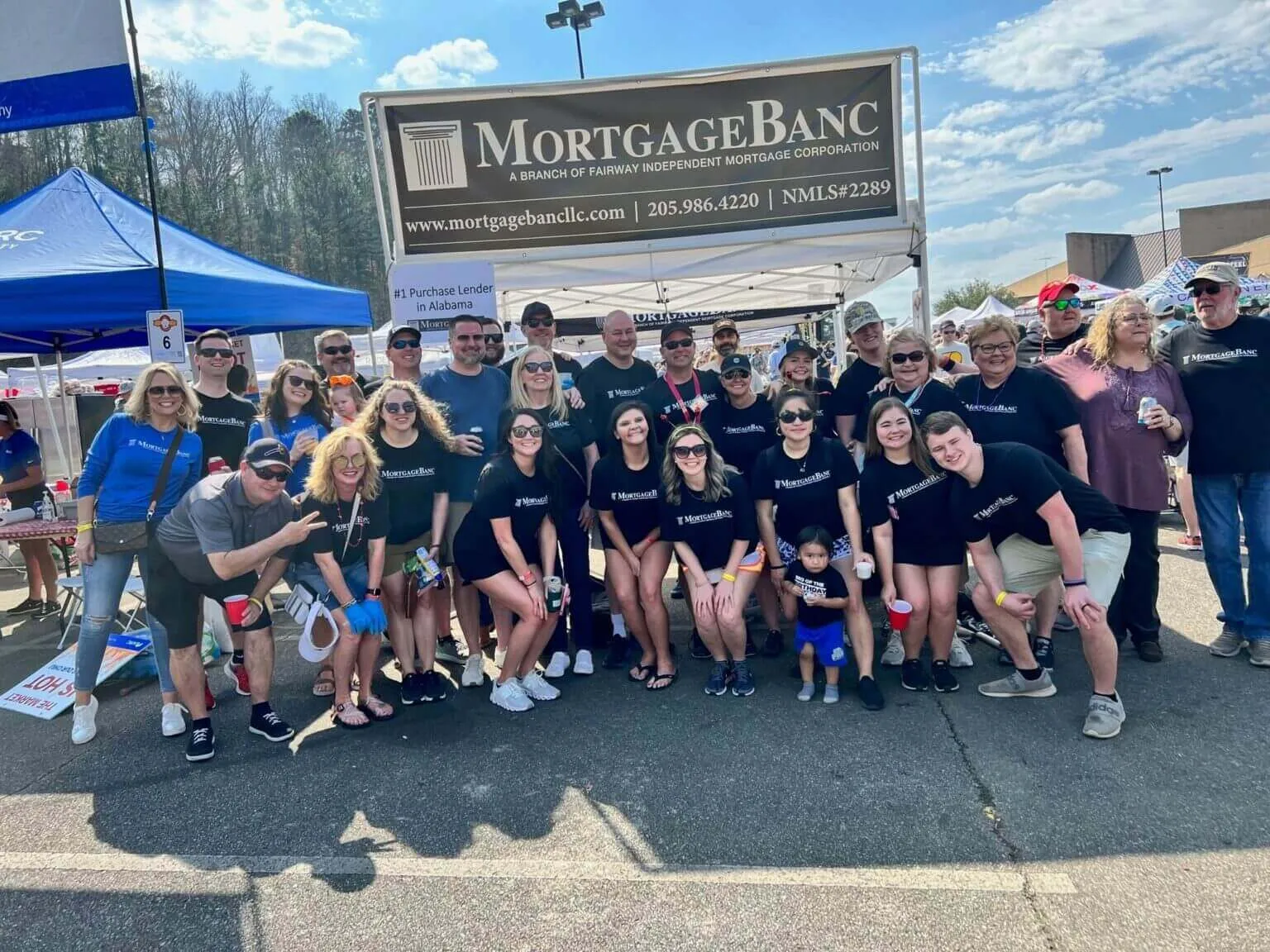
How Fairway trained 100 people across 6 locations without being in the room
“I can’t be in five places at once. We have to have a medium to give people that kind of information.”
0 travelto onboard 100 people
Ben Chenault, SVP, Fairway of Independent Mortgage

How Wolfe Ridge Manufacturing turns tribal knowledge into procedures anyone can follow
“It doesn’t matter that I’ve captured the knowledge, it matters that people can understand the knowledge.”
40people on the team
Zach Goeppinger, Business Operations Manager
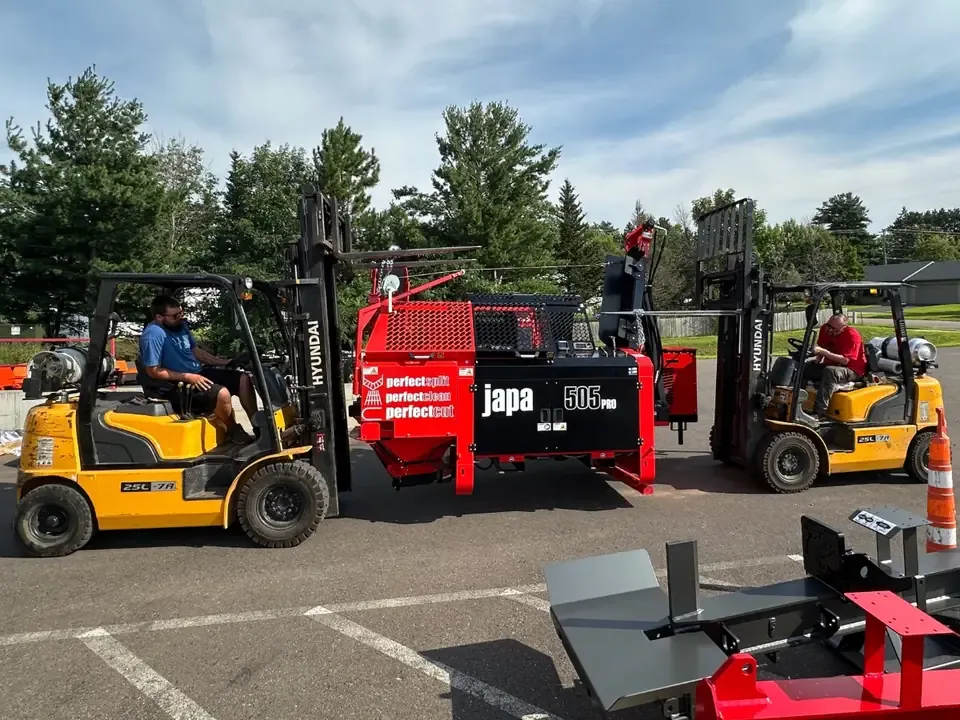

How Avior Wealth trained a fast-growing team across 8 locations
“Documenting our processes was one part of it but we needed to have one spot where people could go and get the answers. A kind of Google search, if you will, for our business.”
7states covered
Cindi Bohrer, Director of Operations

Less time writing. Fewer questions. Faster ramp.
84%
less time spent creating process docs
94%
fewer repetitive questions
50%
less ramp time for new hires
The results Whale publishes for its platform, plus the security that gets you through IT review.

Security
Security your IT team
can sign off on
What IT asks about before a rollout, answered.
SOC 2 certified
How your procedures and records are stored and protected is independently audited.
Granular permissions and enforced SSO
Available from the Advance plan, so access control matches how your organisation is already set up.
GDPR aligned
EU and UK data rights documented in the Whale Trust Center.
Your data, your region
Hosted in the US or the EU, whichever you choose.
Enterprise agreements
A BAA is signed on request on the Enterprise plan.
Integrations
Whale works where you do
Don’t change your workflow. Whale integrates with the tools your team already uses, so answers show up exactly when they’re needed.
Also connects to monday.com, BambooHR, Smartsheet, Google Drive, OneDrive, Salesforce, Azure AD, Paycom, Paycor and Zoho. Whale MCP connects Claude, OpenAI and Gemini.



Start with one process. Grow from there.
Creators build and edit SOPs. Members view, search, Ask Alice, comment, and complete training and quizzes.
Free
For everyone looking to explore the Whale platform.
$0Free forever
Start for FreeScale
For smaller teams looking to document and share process documentation within minutes.
$249per month, billed yearly
Book a DemoMost popular
Advance
For growing teams looking to onboard and train their teams quickly and efficiently.
$499per month, billed yearly
Book a DemoEnterprise
For larger teams looking to operate with maximum scalability, security and control.
CustomBilled yearly
Book a Demo
Extra creators: $29/mo on Scale, $39/mo on Advance.
Questions ops leaders ask before they switch
Read tracking, reviews, frontline access and security, answered. For anything else, our team will walk you through it.
01Can we see who has actually read a new process?
Yes. Assign any card, playbook or guide to a person, a role or a user group with a due date. Whale reminds people by email, Teams or Slack, and a live dashboard shows who has read it, who is overdue and who hasn’t opened it yet. Require an acknowledgment click and Whale records the timestamp, the user and the version they read.
02How do we stop SOPs from going out of date?
Name a subject-matter expert as the owner of each card or playbook and pick a review cycle: monthly, quarterly, twice a year, annually or a custom interval. When the date arrives, Whale creates a review assignment for the owner and logs the verification with a timestamp. Every save is also a new version, so you can compare any two and restore one in a click.
03Do frontline workers need a laptop or a login?
No laptop needed. QR codes open in any phone’s camera and load the current version of the SOP in the browser: public SOPs open without a login, while internal SOPs stay behind sign-in. The Whale app runs natively on iOS and Android, supports SMS invites and single sign-on, and keeps recently opened SOPs readable offline.
04Can a checklist prove the work was done?
Yes. Mark any step as requiring a photo before it can be ticked off. Each run records who ran it, when each step was completed and the photos captured along the way, so you can pull the log for any run or any person on any day. Checklists run on the Whale app and in any phone browser.
05Can we roll one process out to several locations at once?
Yes. Assign an SOP or a training flow to a role or a user group, like every store manager, and group assignments expand automatically, so new members of the group get it too. Managers see completion per person and per location in the analytics dashboard.
06Is our company data safe?
Whale is SOC 2 certified, and EU and UK data rights are documented in the Whale Trust Center. SSO enforcement and granular permissions are available from the Advance plan.
07What’s the difference between creators and members?
Creators build and edit SOPs. Members consume content: they can view, search, Ask AI, comment, and complete training and quizzes.
08How long does it take to get started?
Start from industry-specific templates and create your first SOP within an hour of signing up. Our customer success team helps you set up and roll out. You can cancel anytime, and nonprofits get 20% off.

Get every process
out of a few people’s heads.
Start free with 10 members and 1 creator, or book a demo and our team will help you plan the rollout.
 SOC 2 certifiedCertified
 GDPR compliantCompliant